Vena’s Status Tracker is often underused while it can significantly improve visibility and control in the planning process. Available in the Manager tab, this functionality helps Finance teams simplify process audits, monitor task progress, and keep planning cycles on track. For organisations working in Vena, the Status Tracker provides a clear audit trail and structured workflow visibility. This gives Finance teams better control over execution and supports more predictable planning cycles.
Why use the Vena Status Tracker?
Many Finance teams still rely on manual status checks during budgeting and forecasting cycles. As processes grow in complexity, this approach becomes time-consuming and harder to maintain.
The Vena Status Tracker replaces fragmented status checks with one central overview. It allows you to:
- See every task in a process with its owner, type, status, due date, and last modified time in one place
- Monitor how much work is in progress, completed, or overdue through visual indicators and percentages
- View tasks on a calendar to understand workload and deadlines by day or week
- Slice and dice the task list with advanced filters (by owner, status, review status, current reviewer, due date range, and more)
- Export the full process audit to CSV for further analysis in Excel or sharing with auditors and stakeholders
In practice, the Status Tracker in Vena Solutions becomes a reliable overview of process health, showing who is on track, who is behind, and where intervention may be needed.
What does the Vena Status Tracker show?
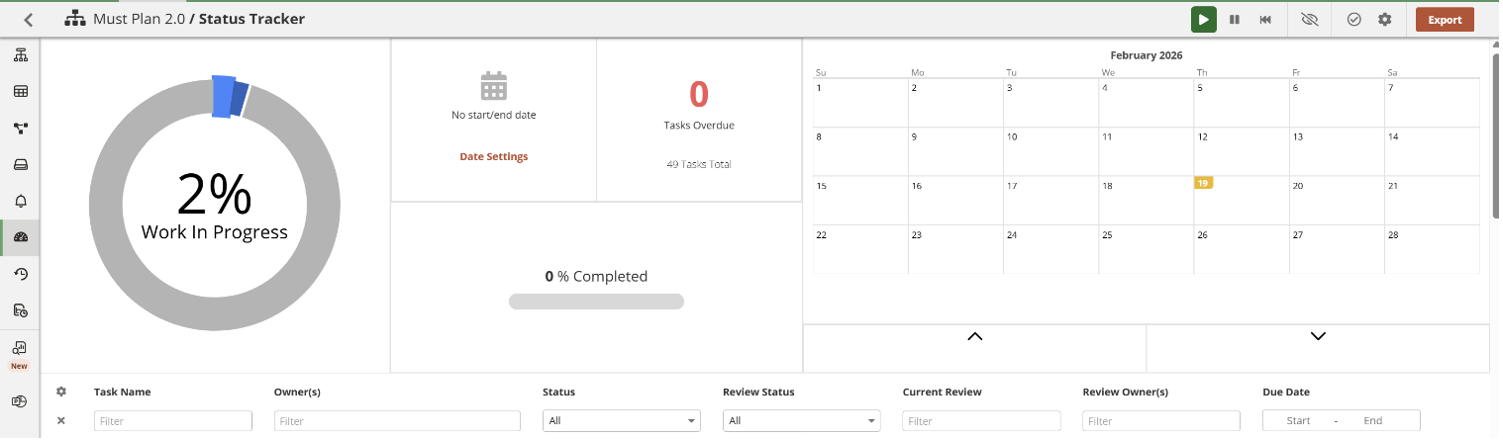
The dashboard provides a structured view of your planning workflow. It includes a work-in-progress donut chart (for example showing 2% in progress), completion bars, and a calendar view for upcoming deadlines.
Below this, a filterable grid details each task’s name, owners, review status, current reviewer, due date, and more. This helps teams quickly identify potential bottlenecks and monitor process performance.
How to access it
- Log in to Vena and go to the Manager tab
- Select your process from the homepage list
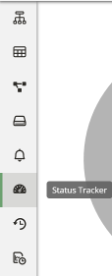
- Click Status Tracker in the left sidebar to load the view
The dashboard will immediately display the latest process data.
Filtering for precision
The filtering functionality allows Finance teams to analyse the planning workflow in more detail.
You can apply filters by:
- Owner
- Status (for example In Progress or Overdue)
- Review status
- Current reviewer
- Date range
Filters can be combined to answer focused questions such as: “Show overdue Finance tasks for this week.” This makes audits faster and more targeted.
Exporting audits
With filters set, click Export in the top-right corner to download a CSV of the matching tasks. Open the file in Excel for analysis, sharing, or compliance documentation.
This reduces manual tracking effort and ensures a consistent audit trail.

Practical use cases
Teams typically use the Vena Status Tracker in the following scenarios:
Month-end or budget cycle monitoring: Track completion rates, identify owners who are behind, and reassign work where necessary.
Audit support: Provide a timestamped export showing who submitted which template, when it was modified, and when it was approved.
Continuous improvement: After a cycle closes, analyse exports to identify where delays occurred and which task types or entities consistently fall behind.
By replacing ad hoc status checks with structured workflow visibility, the Status Tracker helps Finance teams run more predictable and controlled planning cycles while strengthening audit readiness.
