OneStream's Line Item Modeller (LIM) is a planning framework that handles the operational detail your financial cube was never built for. It replaces several older OneStream modules with a simpler, no-code approach: for each planning domain, LIM gives you a register, a structured, editable list with a formula builder that finance teams can own and maintain themselves. LIM requires OneStream version 9 or later. This article covers what LIM is, which three planning types it supports, and why it's an improvement on what came before. There's also an interactive demo at the end so you can see it for yourself.
Why LIM Matters for Finance Teams
Standard financial cubes handle aggregation. Per-employee, per-contract, per-project planning requires a different layer, and without one, teams end up over-engineering the cube or running shadow spreadsheets outside the system.
LIM closes that gap. You plan at the line-item level, one row per employee, lease, or project, and LIM rolls the results directly into your financial plan. Security, audit trail, and connectivity to the rest of OneStream are built in from the start.
Key benefits at a glance:
- No-code formula builder for calculating salaries, benefits, contract costs, and more
- Register-based input: editable like a spreadsheet, governed like a planning system
- Full audit trail and role-based security out of the box
- Direct connection to financial results, with no separate reconciliation step
- Faster to implement and maintain than legacy OneStream planning modules
The Three Planning Types in LIM
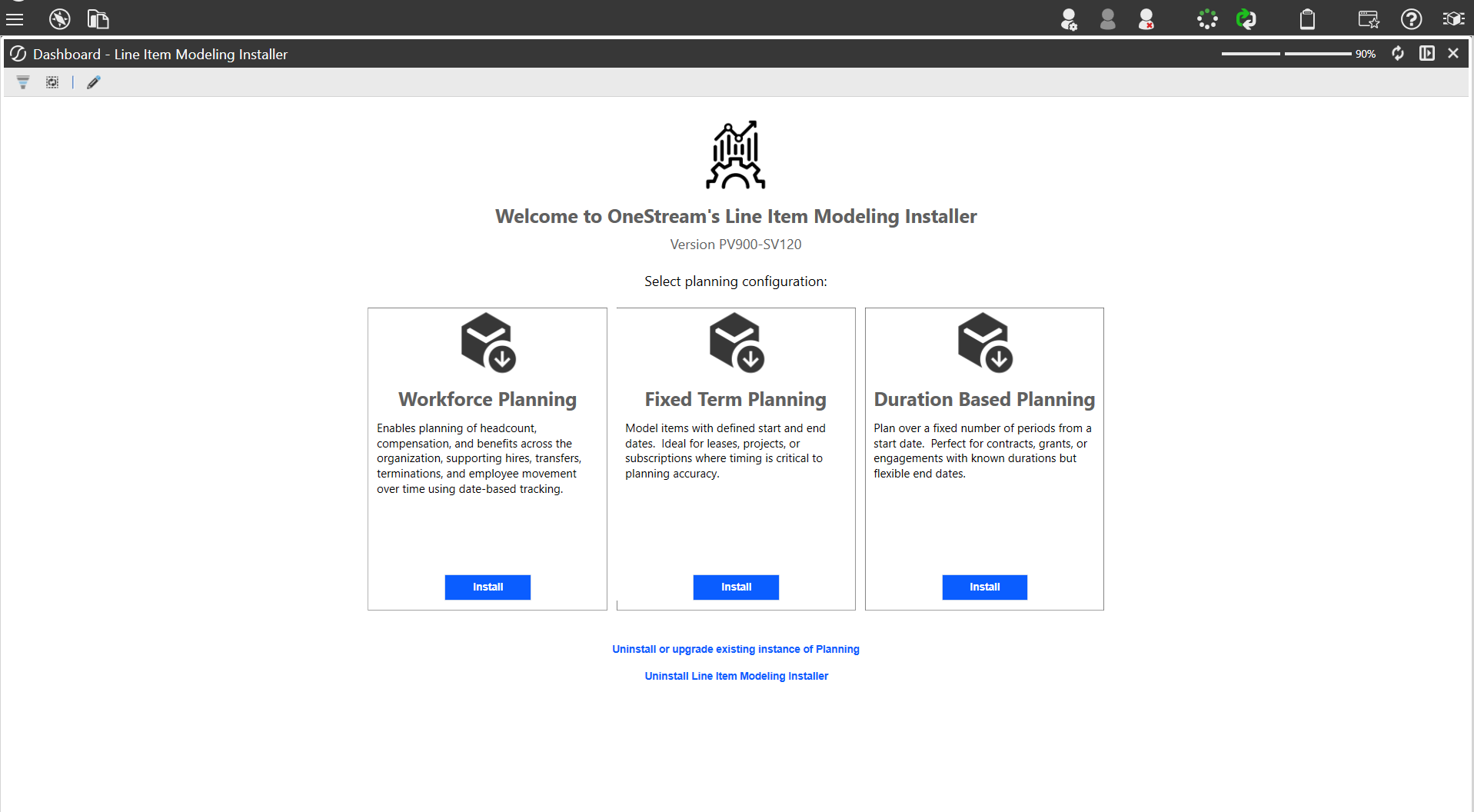
LIM offers three planning templates. You pick the one that fits what you're modeling.
1. Workforce Planning
For headcount and people costs: salaries, bonuses, benefits, payroll taxes, merit increases, new hires, transfers, and terminations.
Each employee gets a row in the register. Formulas calculate total compensation automatically. When someone joins, transfers, or leaves, you update their record and the financials update with it.
This replaces OneStream's legacy Workforce Planning module, which covered headcount but required significantly more technical configuration to set up and maintain. LIM handles the same use case with a no-code formula builder, and extends the same approach to contracts, projects, and leases.
2. Fixed Term Planning
For items with a defined start and end date: operating leases, SaaS subscriptions, service contracts, and recurring project costs.
You define the term and the cost structure; LIM spreads the financials across the relevant periods. Useful for finance teams managing large lease portfolios (especially relevant under IFRS 16) or complex software contract landscapes.
3. Duration Based Planning
For items that run from a start date for a set number of months or years: capital projects, grants, R&D programs, or multi-year contracts.
Duration Based Planning is more flexible than Fixed Term: you set a start date and a length in months or years, which suits projects where the finish line is estimated rather than contractually fixed.
How Long Does Setup Take?
In a test environment, a working Workforce Planning setup was running inside LIM in approximately 30 minutes. That includes defining the register structure, setting up driver formulas, and connecting the output to the financial cube.
For reference, equivalent setups in the legacy Workforce Planning module typically took several days of configuration by a technical consultant.
LIM doesn't eliminate implementation work for complex organizations, but it dramatically reduces the baseline effort required to get started.
Don't Want to Start from Scratch? Use Workforce Planning Express
OneStream also offers Workforce Planning Express, a pre-built accelerator on top of LIM. It ships with:
- Ready-made driver libraries (salary bands, employer costs, benefit rates)
- Pre-configured formula templates
- Standard reports and dashboards
Use it as a starting point, then adapt it to your organization's planning logic. For teams that want to move fast without building from zero, Express is the faster path to go-live.
See It in Action: Interactive Demo
The best way to understand what LIM feels like in practice is to see a real setup.
The demo below shows a real LIM workflow in OneStream. You'll see how the register is structured, how workforce data is organized inside it, and how the planning process holds together from input to financial output. The click-through takes 5 to 10 minutes.
Frequently Asked Questions
Does LIM replace all legacy OneStream planning modules? LIM replaces the older Workforce Planning module and covers several use cases previously handled by custom cube configurations. It does not replace all OneStream modules. Strategic planning and consolidation workflows remain separate.
Can finance teams manage LIM without IT support? For day-to-day use and most configuration changes, yes. The no-code formula builder means finance owns the planning logic. More complex implementations with large driver libraries or HR system integrations may still benefit from consultant involvement at the start.
Is LIM available on all OneStream versions? LIM is available from OneStream version 8.x onward. Check your current version and release notes for specific feature availability.
